
FillWizard vs Adobe Acrobat vs DocuSign: An Honest Comparison for Form-Heavy Teams
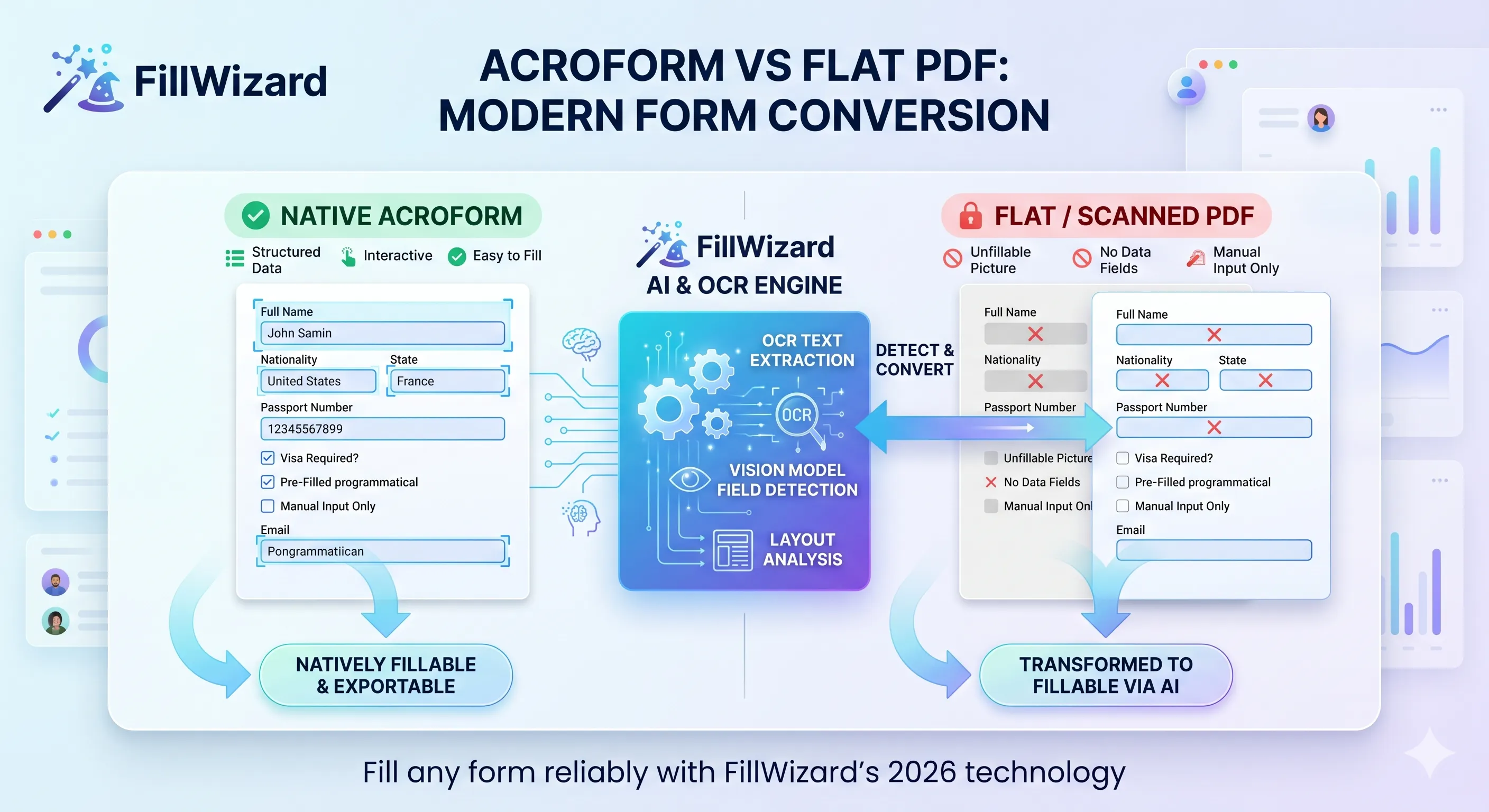
When teams come to us asking "should we buy FillWizard or Adobe Acrobat or DocuSign?", they almost always have the question framed wrong. The implicit assumption is that these three are alternatives: pick one, drop the others. The reality is they solve three different problems, and the right answer for most teams is "two of these, possibly three, deployed for the right job each."
This guide is the comparison I wish someone had handed me when I first ran a procurement evaluation across all three. It's honest about where each tool wins and where each one falls down. It includes weaknesses of FillWizard alongside weaknesses of Acrobat and DocuSign, because credible comparisons are how trust gets built.
If you are evaluating these tools today, this article should save you a procurement cycle.
What problem does each tool actually solve?
Start here. The names are similar, the websites have overlapping marketing language, but the products are designed around different user journeys.
| Tool | Core problem solved | Built for |
|---|---|---|
| Adobe Acrobat | Editing, annotating, and producing PDFs | PDF authors, legal teams, designers |
| DocuSign | Getting a document legally signed by one or more people | Sales teams, contracts, agreements |
| FillWizard | Filling many recurring forms from a stored identity profile | Visa agencies, HR teams, claims adjusters, contracting teams |
If your job is "send a contract for signature," DocuSign wins easily. If your job is "convert a Word document to a polished PDF and redact sensitive sections," Adobe Acrobat wins easily. If your job is "fill 40 forms for one applicant across three embassies," FillWizard is the right tool. Neither of the other two is built for it.
The mistake teams make is to pick one tool because of its brand familiarity and try to force it to do the other two jobs.
Adobe Acrobat: the PDF Swiss Army knife
Adobe Acrobat is the dominant PDF tool because Adobe invented PDF. It does everything a PDF can be made to do: edit, annotate, redact, assemble, sign, fill, OCR. The breadth is genuinely impressive.
Where Acrobat wins:
- Editing PDFs (text, images, page reordering)
- Redaction with proper redaction layers
- Form authoring (creating AcroForm fields from scratch)
- OCR for converting scans to searchable PDFs
- Bundled e-signature via Adobe Sign
- Industry standard; every legal team uses it
Where Acrobat falls short:
- Form-fill UX is a one-document experience. You open a PDF, you fill it. There is no concept of a stored identity profile that auto-populates 40 forms.
- Multilingual fill is weak. Acrobat handles displaying multilingual PDFs fine, but its auto-fill features are English-centric.
- Scanned-PDF detection is limited. Acrobat's OCR can convert a scan to searchable text, but its field detection on flat PDFs is not in the same league as modern AI-driven detection. See our AcroForm vs flat PDF guide for what modern detection looks like.
- Pricing model assumes individual users. Per-seat pricing is fine for a legal team. It is expensive for a 50-adjuster claims team that mostly needs autofill, not editing.
- Bulk operations are clunky. Filling 30 forms in one sitting is possible but awkward.
Best fit for: legal teams, design departments, anyone who creates and edits PDFs as a primary job function.
Worst fit for: form-heavy operational teams (immigration, claims, HR onboarding, government contracting) who fill the same fields into different forms repeatedly.
DocuSign: the e-signature category leader
DocuSign defined modern e-signature. Their core innovation was making "send this contract, get it signed, archive it with audit trail" into a five-minute workflow that holds up legally in 50+ jurisdictions.
Where DocuSign wins:
- Signing flows for one document, one or more signers
- Sequential routing (send to A, then B, then C)
- Legal compliance (eIDAS in EU, ESIGN/UETA in US)
- Audit trail per envelope
- Integrations with CRMs, contract management, HR systems
- Mobile-first signing experience
Where DocuSign falls short:
- Not built for filling. The platform assumes the document is already filled. Sender-side fill features exist but are basic.
- Envelope pricing is punishing for high-volume non-signature workflows. If you send 200 documents a month and only 20 of them need signatures, you are paying for 200 envelopes.
- No identity profile concept. Every document fill is from scratch. There is no "use the saved company profile."
- Multilingual is limited to UI translation. The platform translates, but the form-fill logic does not adapt to non-English forms.
- PDF editing is essentially absent. If you need to redline or adjust a document, you do that elsewhere.
Best fit for: sales teams sending contracts, HR teams sending offer letters and policy acknowledgements, anyone whose primary need is getting documents signed and tracked.
Worst fit for: teams whose primary work is filling forms before they get to the signature stage.
FillWizard: the form-fill engine
FillWizard exists because the form-fill problem is genuinely different from the form-edit problem and the form-sign problem, and treating it as a subset of either has cost teams real money for years.
Where FillWizard wins:
- Profile-driven fill across many forms. One identity profile populates dozens of forms with no per-form setup.
- AcroForm and flat/scanned support, both built in. No manual classification of PDF type before deciding which workflow to use.
- Multilingual including RTL. Arabic, Hebrew, Cyrillic, East Asian forms work without separate workflows. Profiles store dual-script names so embassy forms in any language fill correctly.
- Bulk operations are first class. Upload 30 forms, fill them all at once, review batch.
- Niche-specific templates. Pre-built workflows for visa packets, HR onboarding, insurance claims, government tenders.
- Audit log per fill. Which value came from which profile field at which time, exportable for compliance.
- Privacy-aware: sensitive profile fields encrypted at the application layer; configurable retention; no model training on customer data.
Where FillWizard falls short (the honest part):
- Not a PDF editor. If you need to redact, reorder pages, or annotate, you reach for Acrobat.
- Not an e-signature platform. Signature fields are flagged but signed elsewhere (DocuSign, Adobe Sign, or a hardware certificate).
- Younger product. Launched in 2026; less third-party integration ecosystem than Acrobat or DocuSign yet.
- Currently in private beta with public launch in progress. Some buyers want a five-year track record before adoption. That's a fair concern, addressed by our security architecture and transparent operations.
- Best for repeat workloads. A team that fills one or two unique PDFs a month gains less than a team filling 50 recurring forms a week.
Best fit for: visa and immigration agencies, HR teams during peak hiring, insurance claims teams, government contracting and permit teams, multilingual back-office operations.
Worst fit for: legal teams whose work is mostly authoring and editing rather than filling; sales teams whose primary need is signature collection.
A direct feature comparison
| Capability | Adobe Acrobat | DocuSign | FillWizard |
|---|---|---|---|
| Edit PDF content (text, images) | ✓ Excellent | ✗ | ✗ |
| Annotate / redact | ✓ Excellent | Basic | ✗ |
| AcroForm field detection | ✓ Native | ✓ Native | ✓ Native |
| Flat/scanned PDF field detection | Basic OCR | Basic | ✓ AI-driven |
| Identity profile-driven fill | ✗ | ✗ | ✓ Core feature |
| Bulk fill across many forms | Awkward | Limited | ✓ Core feature |
| Multilingual (incl. RTL) fill | English-leaning | UI translation only | ✓ Core feature |
| E-signature with audit trail | ✓ Adobe Sign | ✓ Best-in-class | Flags signatures, integrates externally |
| Per-document audit log | Limited | ✓ Per envelope | ✓ Per fill |
| Pricing model | Per-seat | Per-seat + envelope | Tiered (waitlist for public pricing) |
| Best fit | Legal, design | Sales, contracts | Operations, intake |
When each tool wins (and the combinations that work)
Here is a decision matrix based on what you actually do all day:
"We mostly edit and produce PDFs"
Pick: Adobe Acrobat. Skip the others until you need them.
"We mostly send contracts and need signatures"
Pick: DocuSign. Add Acrobat if you also need to edit source docs.
"We mostly fill recurring forms from a known set of data"
Pick: FillWizard. Add DocuSign if those forms need final signatures.
"We do all three"
Use all three. This is more common than people admit. The combined cost is less than the time wasted forcing one tool to do all three jobs.
"We're a small team and budget is tight"
Start with the tool that addresses your bottleneck. If you spend two hours a week on signatures: DocuSign. If you spend twenty hours a week on form-filling: FillWizard. If you mostly edit one-off PDFs: Acrobat. Add others as needed.
Pricing realism
Published prices drift faster than most articles can keep up with. The pricing principles that hold:
- Adobe Acrobat Pro is per-seat. Volume discounts kick in for larger orgs. Bundled in some Creative Cloud plans.
- DocuSign is per-seat with envelope volume tiers. The envelope tier matters more than the seat tier for high-volume teams.
- FillWizard uses tiered pricing with a free tier for occasional use, paid tiers for unlimited fills, and team pricing for shared profiles. Public pricing announced at the public launch (currently waitlisted).
Run your actual workload against each model. A 5-seat team that fills 40 forms a day will get a different answer from a 50-seat team that signs 200 contracts a month.
For high-volume government or insurance work, also factor in:
- Audit log retention costs
- Compliance certifications (FedRAMP, HIPAA, SOC 2: which tier covers each)
- Regional hosting (US, EU, on-prem)
These can dwarf the published per-seat number for regulated workloads.
Migration considerations if you're switching tools
Most teams do not migrate; they layer. They add the new tool to a specific workflow and let the old tool serve the rest. If you are switching tools cleanly:
Adobe → FillWizard for fill workflows:
- Export saved profiles from Acrobat (if any) to a structured format.
- Rebuild profiles in FillWizard with proper structure (legal name, dual script, addresses, etc.).
- Test with three real forms in parallel before retiring the Acrobat workflow.
DocuSign → DocuSign + FillWizard split:
- Identify which envelopes were fill-then-sign vs sign-only.
- Move fill-then-sign envelopes to a "fill in FillWizard, then route to DocuSign for signature" pattern.
- Keep sign-only envelopes in DocuSign.
Anything → Adobe Sign:
- Ensure your team has Acrobat Pro licenses if you want bundled signing.
- Compare envelope volume costs honestly against DocuSign before assuming Adobe Sign is cheaper.
Honest weaknesses worth flagging
If you are picking FillWizard, know what you are signing up for:
- The product is younger. Launched 2026. Five years from now there will be more integrations, more case studies, more regional certifications. Today, it is in private beta with active development.
- It does not edit PDFs. Need redaction or page assembly? Pair with Acrobat.
- It does not sign documents. Pair with DocuSign or Adobe Sign for the signature step.
- It rewards repetition. Teams filling 100 forms a week get massive value. Teams filling 5 forms a week get less.
If you are picking Adobe Acrobat or DocuSign expecting them to do the form-fill job FillWizard is built for, know what you are signing up for:
- Acrobat's autofill is single-document, English-leaning, manual-template-driven. It will not scale to your 50-form-a-week reality.
- DocuSign's fill is sender-side and basic. It expects already-filled documents.
- Both bill per-seat regardless of how much you actually use the tool. For a part-time signer, that is fine. For a 50-adjuster team, the math gets ugly.
Related reading
- The Definitive AI PDF Autofill Guide for 2026: the foundational concepts that make the comparison above coherent.
- AcroForm vs Flat PDF: Make Any Form Fillable: the technical reason FillWizard's flat-PDF handling matters in practice.
- Insurance Claim Form Workflow: concrete vertical example.
- Government Form Fill: Tenders and Permits: concrete vertical example for public sector.
Bottom line
If you're filling forms at any volume, none of the three big-brand options can beat a purpose-built fill engine. If you're signing contracts, DocuSign remains the right answer. If you're editing PDFs, Adobe Acrobat is unmatched. The smartest move for most form-heavy teams: use FillWizard for fill, DocuSign for signature, and Acrobat as a utility for edge-case PDF editing. Let each one do what it does best.
Checklist
- Be clear what problem you are solving: editing PDFs, getting them signed, or filling them in volume.
- Test multilingual support with a real RTL form before committing to any tool.
- Verify how each handles flat/scanned PDFs (the 50% case most demos avoid).
- Compare per-document, per-seat, and per-export pricing against your actual volume.
- Pull pricing in writing. Published prices in this space drift quarterly.
- Run a 90-minute proof-of-concept on your worst real workload.
- Decide whether you need one tool or two; most form-heavy teams need both fill + sign.
Related articles
 Tool Comparisons
Adobe Fill & Sign Alternative When Autofill Suggests the Wrong Name
Adobe Fill & Sign remembers more than you want. Wrong name. Previous customer's signature. Private medical details on the next PDF. This guide covers when to clear the cache, when to keep Acrobat, and when a reusable profile is the safer Adobe Fill & Sign alternative.
8 min readRead more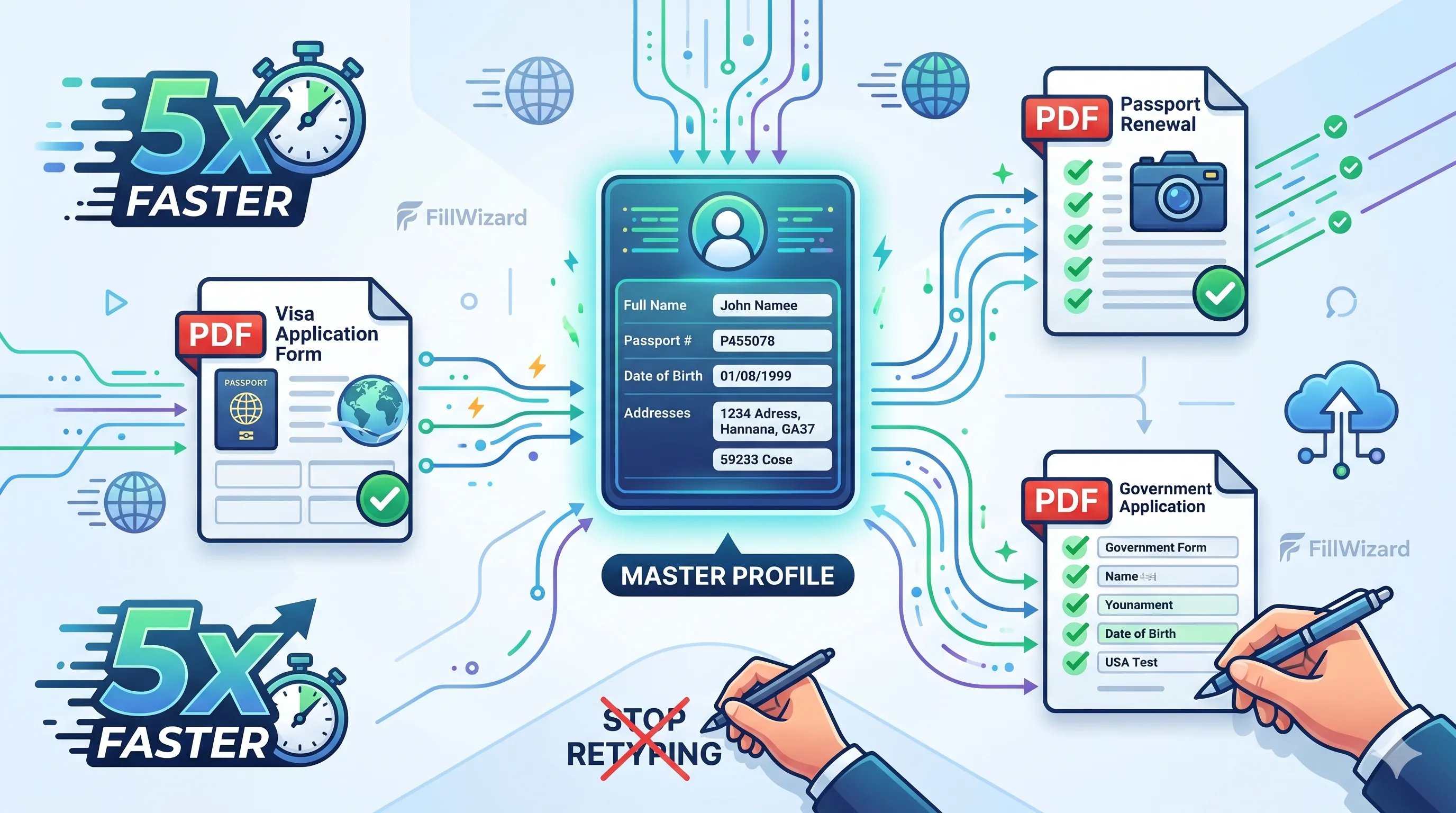 Productivity
How to Batch Fill PDF Forms from a Profile (Without Mail-Merge Pain)
Batch fill and prefill should mean enter once, fill many PDFs. Mail merge for fillable forms is the old workaround. A profile is the cleaner version of the same idea.
9 min readRead more Visa Workflows
DS-160 Family Application: Why the Family Button Still Makes You Retype Everything
A DS-160 family application is still one form per person. The family button on CEAC does almost nothing for shared fields. Profiles fix the retyping. CEAC still gets the final submit.
9 min readRead more