
Government Form Fill: How Small Teams Win Tenders, Permits, and RFPs Faster
Government procurement is brutally unforgiving on a single dimension: completeness. You can write the strongest technical proposal in the country, but if Section 2.4.b is missing a stamped certification, your submission is non-responsive and the contracting officer cannot consider you. No appeal. No fix.
Small teams lose tenders to this exact failure mode constantly. Not because their technical work is weak — because their submission packet has a missing initial, an outdated DUNS number, an unsigned representations and certifications section.
The teams that win consistently in this space have figured out that government form-filling is its own competence. It is separate from the technical proposal, separate from pricing, separate from past performance. It is a packet-management discipline. And like every packet-management discipline, it benefits enormously from structured profiles, AI autofill, and a deterministic review process.
This guide is for the procurement lead, contract manager, or business development director who has watched a tender disqualify on a paperwork issue and never wants to repeat the experience.
Why government forms are uniquely hostile to manual workflows
Three properties make government paperwork especially punishing:
Volume per submission. A federal RFP response can require 30-60 individual forms: cover sheets, representations and certifications, small business size determinations, security forms, past performance citations, key personnel forms, pricing schedules, terms acceptance. Each one a fresh chance to typo a value.
Format heterogeneity. Federal forms (SF-330, SF-1449, SF-86), state-specific procurement forms, agency-specific permits, and supplemental certifications all live in different formats. Some are AcroForm. Many are flat PDFs or scanned old PDFs the agency has used since 1998. See our AcroForm vs flat PDF guide for the underlying detection problem.
Submission windows. A 30-day RFP window means your usable preparation time is closer to 10 days after technical work, capture work, pricing strategy, and review cycles. Time spent re-typing your UEI into 40 forms is time not spent on win themes.
Compliance traceability. Post-award protests, audits, and FOIA requests can demand documentation of every value submitted. A workflow with no audit trail leaves you defenseless if a competitor protests on a paperwork issue.
A team trying to manage all four of these manually loses badly to a team running a structured workflow. The gap is decisive.
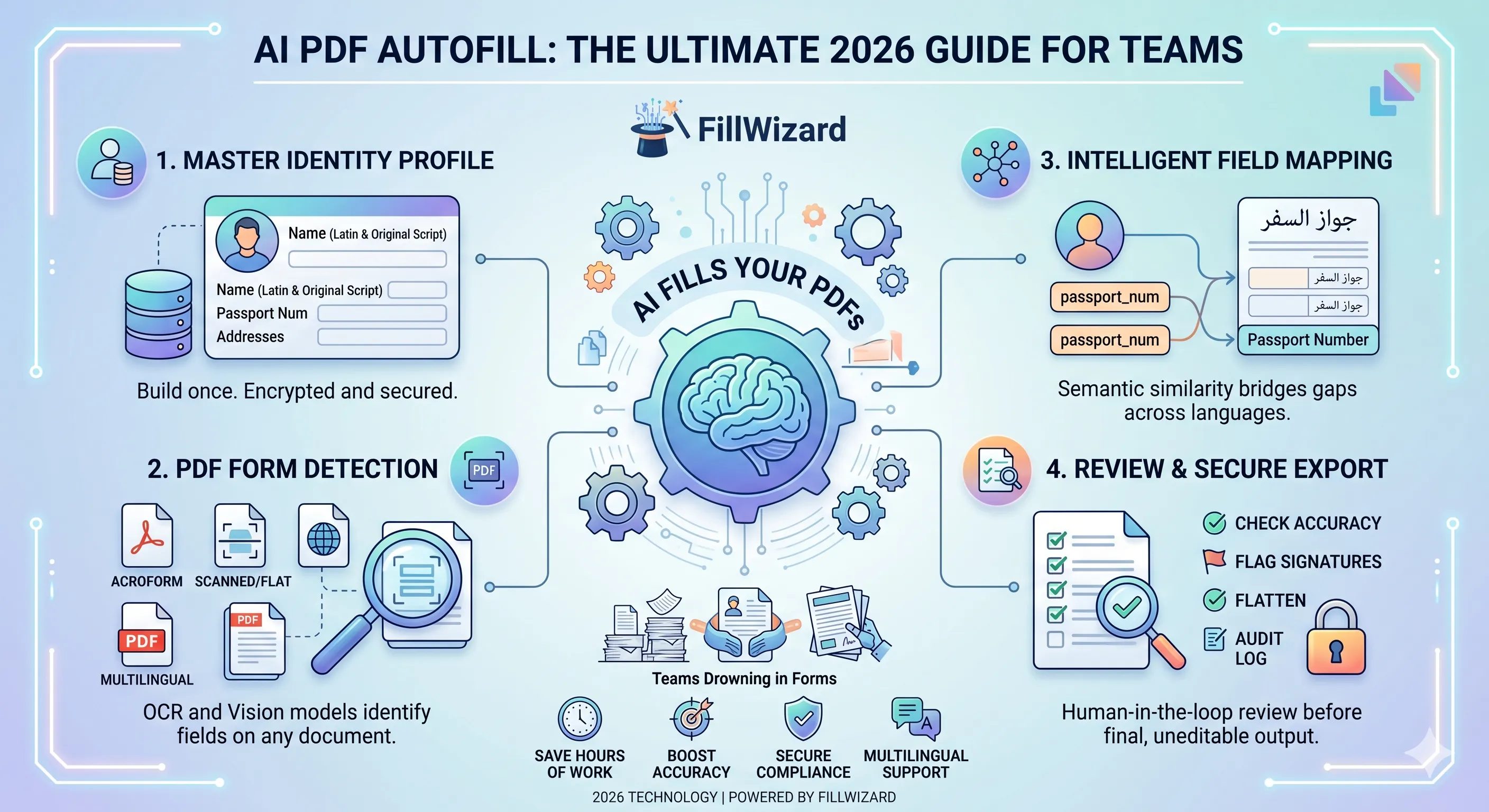
The company profile that powers everything
The unlock is the same as in every other vertical we have written about — see our definitive AI autofill guide — but with government-specific fields.
A complete company profile for federal contracting:
- Identity: legal entity name, DBA, UEI (Unique Entity ID), EIN, CAGE code.
- NAICS / NACE codes: primary and secondary, with size standard for each.
- Set-aside certifications: small business, woman-owned, service-disabled veteran, HUBZone, 8(a), with expiration dates and certifying body.
- Performance addresses: principal place, subsidiary locations.
- Banking: SAM-registered banking, Treasury enrollment.
- Key personnel: names, clearance levels (where applicable), resumes by reference.
- Insurance: liability, workers' comp, professional liability, with expiration dates.
- Bonding: aggregate, single, surety contact.
- Past performance index: pointers to past performance citations stored in the asset library.
For state and local contracting, layer in: state vendor IDs, certificates of authority, local set-aside qualifications, prevailing wage acknowledgements, sales tax registrations.
For EU contracting (TED, OJEU): VAT number, ESPD baseline, NACE codes, beneficial ownership disclosures, financial standing baseline.
Build the profile in one structured pass. Validate every value against the source-of-truth registry (SAM.gov for US, TED economic operator service for EU). Then never touch it again until something genuinely changes.
The reusable forms library
Beyond the profile, you need a library of forms you submit recurringly. For a federal services contractor that typically includes:
- SF-1449 (Solicitation/Contract/Order for Commercial Items)
- SF-330 (Architect-Engineer Qualifications)
- Section K Representations and Certifications (variants per agency)
- Past Performance Information Sheets (PPQ formats)
- Subcontracting Plans (FAR 52.219-9)
- Small Business Size Self-Certifications
- Key Personnel Resumes (per-RFP customization)
- Bonding statements
For permits and licensing: building permit applications, environmental impact disclosures, occupational licenses, professional licensing renewals, regulatory filings.
For each recurring form, do the mapping work once. The autofill engine learns which profile fields project onto which form fields. Subsequent submissions take seconds to draft.
The fill-review-submit loop
Once the profile and form library are in place, every submission follows the same loop:
Phase 1: Capture intake
A new RFP, permit, or tender lands. Your capture team logs:
- Submission deadline and time zone (this matters — late submissions are non-responsive).
- Required forms and their versions.
- Any RFP-specific certifications (e.g. evidence of prior similar work, mentor-protégé arrangements).
- The submission channel (portal upload, email, hard copy).
Phase 2: Bulk autofill
Upload the entire form set to the autofill tool, point it at the company profile, and let it draft everything. For a 40-form RFP packet this typically completes in under five minutes. The output is a folder of pre-filled drafts.
Phase 3: Two-step review
Government submissions need two distinct reviewers:
- Subject matter expert review: a technical lead or capture manager checks technical sections, win themes, pricing rationale, key personnel matching.
- Compliance review: a procurement specialist checks every certification, every checkbox, every signature block, every citation reference. This is the role most likely to catch the "non-responsive" trap.
The compliance reviewer uses a deterministic checklist:
- All required forms present and current version
- Every certification block signed and dated
- Set-aside qualifications match RFP requirements
- Past performance citations match the required count and format
- All cross-references (e.g. "see Attachment B") resolve to attached documents
- Pricing tables match between SF-1449 and the pricing narrative
- Submission cover letter matches packet contents
Run this review with two pairs of eyes for high-value submissions.
Phase 4: Submit and log
Submit through the required channel. Capture proof of submission (timestamped portal receipt, email delivery confirmation, courier tracking). Log:
- Submission timestamp
- Files submitted (filename + hash)
- Profile values used per form (audit trail)
- Reviewer sign-offs
- Submission channel and proof
This audit log is the single most underrated asset in government contracting. It is your defense against post-award protests, your evidence in audits, and your reference for the next response in the same family.
Audit trail expectations
Government work demands audit traceability that commercial work rarely does. Build the audit log as a first-class artifact:
Per-submission folder containing:
- Original RFP and amendments (full, as-received)
- Profile snapshot at time of submission (frozen for that response)
- Final submitted packet (PDFs in the order submitted)
- Audit log of which profile values populated which form fields
- Reviewer sign-off forms
- Submission proof
If a protest happens, you produce this folder within 24 hours and the contracting officer's investigation effectively ends. If no protest happens, the same folder is your reference for the next response in the same agency.
For deep technical environments handling controlled unclassified information (CUI), the same workflow runs in a FedRAMP Moderate or IL4 environment. The discipline is identical; the hosting is different.
Permits and licensing: a parallel workflow
Permits look different from RFPs but follow the same pattern. A small construction firm submitting building permits across three counties typically faces:
- County A: 8-page application, 4 supplemental certifications, fire marshal sign-off.
- County B: 12-page application, environmental impact disclosure, prevailing wage acknowledgement.
- County C: 6-page application but requires notarized affidavits and certified surveyor stamps.
The same company profile (with construction-specific extensions: contractor license number, bonding details, insurance certificates, classification codes) projects onto all three. The 60% time savings shows up immediately on the second permit; by the tenth permit, the team has effectively recovered an FTE worth of capacity.
Common pitfalls in government workflows
The mistakes we see most often in government-focused implementations:
Treating each RFP as a fresh project. It is not. 80% of the form content is reusable across responses. Teams that rebuild from scratch every time are paying a 5x cost penalty.
Not validating the profile against authoritative sources. A UEI typo discovered in submission week means a missed deadline. Validate against SAM.gov when the profile is first built and at every quarterly refresh.
Overlooking version drift. Forms change. SF-1449 in 2024 is not the SF-1449 from 2019. Maintain a current version of every form in the library and refresh quarterly.
Skipping the audit log because "we have never been protested." First time you are, the cost of not having logs dwarfs the cost of building them.
Manual signing inside the autofill flow. Signatures are an e-signature workflow, not an autofill workflow. Use a proper signing tool (DocuSign, Adobe Sign, equivalent) for the final signature step.
Who wins fastest with this approach
- Small business federal contractors who respond to 8-15 RFPs per year and can't afford a dedicated proposal coordinator.
- Architecture and engineering firms preparing SF-330 packets recurrently.
- Construction firms managing multi-county permit applications.
- Public sector consultancies responding to UK G-Cloud and EU TED tenders.
- GovCon-focused law firms preparing supporting documentation for client submissions.
For these teams, the workflow above transforms paperwork from a capacity sink into a competitive advantage.
Related reading
- The Definitive AI PDF Autofill Guide for 2026 — the foundational concepts that underpin everything here.
- AcroForm vs Flat PDF: Make Any Form Fillable — for the agencies that still circulate flat PDFs.
- FillWizard vs Adobe Acrobat vs DocuSign — direct comparison, including security model differences relevant for gov work.
- HR Packet Review — adjacent workflow for the same team type that contracts with government.
Take action this quarter
Pick the next RFP or permit application your team is preparing. Time the manual fill. Then run the same packet through the autofill workflow above. The first run takes longer than usual because you are building the profile. The second run, and every run after, is where the recovery shows up. Most teams break even by their third submission and run a 60-70% time saving from then on.
Checklist
- Build one canonical company profile with UEI, EIN, NAICS, NACE, DUNS legacy where required.
- Inventory the recurring forms your team submits: RFP cover sheets, certifications, permit apps, license renewals.
- Standardize past performance documentation into a single library.
- Pre-fill every recurring section before the response window opens.
- Run a two-step review: technical (subject expert) and compliance (procurement specialist).
- Maintain a per-submission audit log for protests and post-award reviews.
- Track win rate against time-to-submit; the correlation is uncomfortable.
Related articles
 Tool Comparisons
Adobe Fill & Sign Alternative When Autofill Suggests the Wrong Name
Adobe Fill & Sign remembers more than you want. Wrong name. Previous customer's signature. Private medical details on the next PDF. This guide covers when to clear the cache, when to keep Acrobat, and when a reusable profile is the safer Adobe Fill & Sign alternative.
8 min readRead more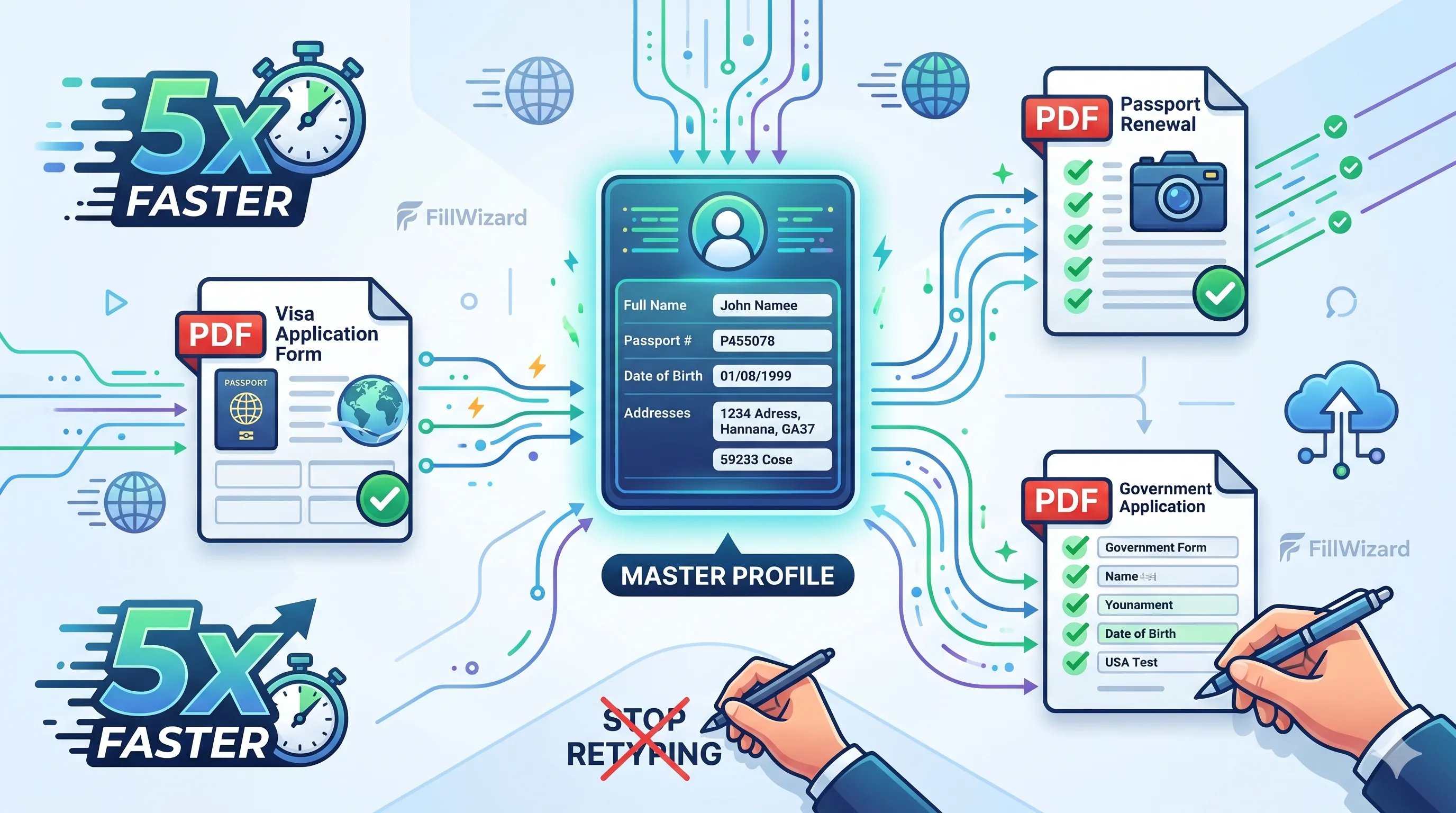 Productivity
How to Batch Fill PDF Forms from a Profile (Without Mail-Merge Pain)
Batch fill and prefill should mean enter once, fill many PDFs. Mail merge for fillable forms is the old workaround. A profile is the cleaner version of the same idea.
9 min readRead more Visa Workflows
DS-160 Family Application: Why the Family Button Still Makes You Retype Everything
A DS-160 family application is still one form per person. The family button on CEAC does almost nothing for shared fields. Profiles fix the retyping. CEAC still gets the final submit.
9 min readRead more